
Electric charge
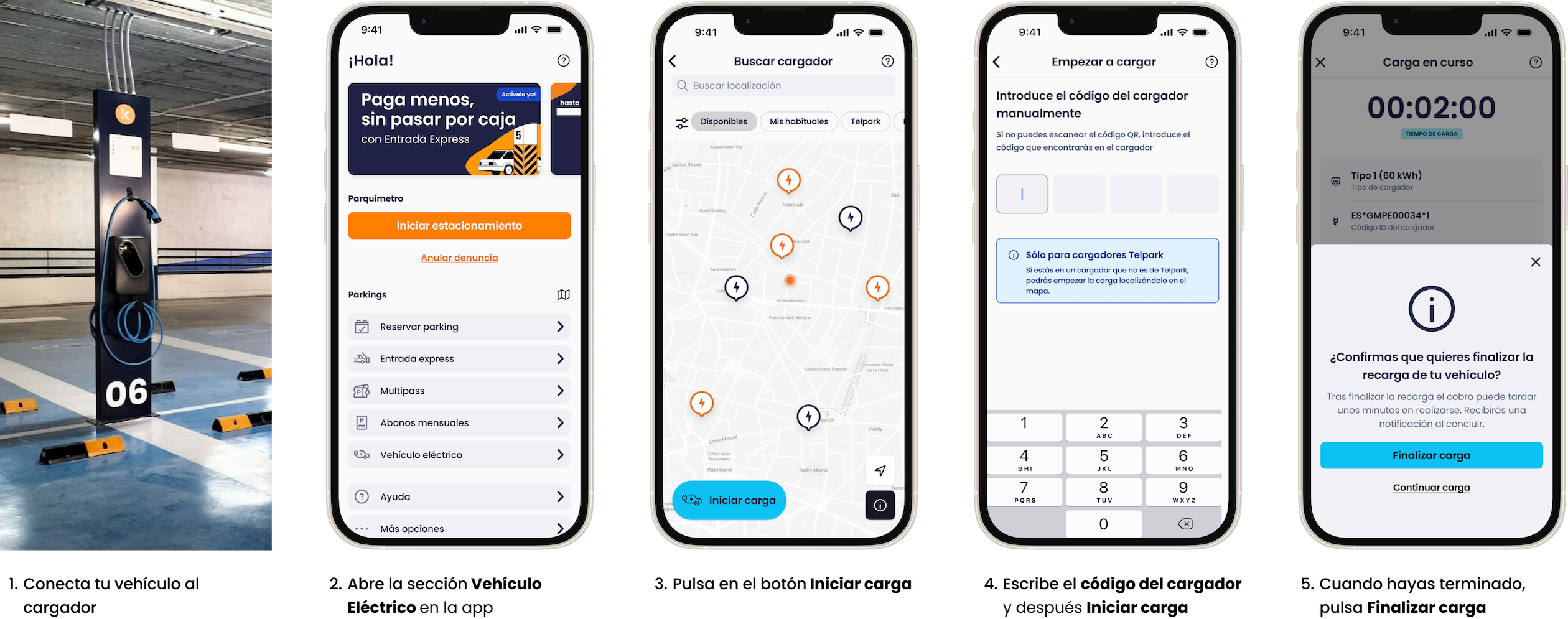
1. Connect your vehicle to the charger.
2. Select "Electric Vehicle" in the Telpark app and click the "Start charging" button on the map.
3. Enter the 4-digit charger number that you can find under the "Punto de recarga" sign and then click Start.
4. Click "Stop" to finish charging.
Car parks with electric chargers
Still have questions? Don't worry. Contact us, we'll be more than happy to help.
Don't worry, contact us at soporte.telpark.com and tell us the charge point number and number plate you are having problems with so that our technicians can find out what is happening.
Still have questions? Don't worry. Contact us, we'll be more than happy to help.
See map of car parks with electric chargers.
Still have questions? Don't worry. Contact us, we'll be more than happy to help.