
About Telpark
Telpark supports PayPal, credit/debit card and Bip&Drive as payment methods.
Below, we explain how to add each payment method correctly to your account:
Credit Card (Visa/Mastercard/American Express (Amex))
To add a new credit card, you will need to select More Options - Payment methods, then click on the add button ("+") and choose the Credit/Debit Card option. Finally, you will only have to fill in the requested data and accept to finish.
Paypal
To link your PayPal account to the application, you must access More Options - Payment method, then click on the add button ("+") and choose the PayPal option. Then, you will only have to fill in your PayPal account details and accept to finish.
Bip&Drive
To associate the Bip&Drive payment method, go to More Options - Payment method. Then, just click on the add button ("+") and enter your Bip&Drive account details.
Credit/debit cards must be VISA, Mastercard and American Express (Amex), and permission must be enabled for unauthenticated e-commerce transactions (you should check with your bank if necessary).
Still have questions? Don't worry. Contact us, we'll be more than happy to help.
No. With telpark it is not necessary to make any payment in advance. Payment will be collected from your registered payment method once you have used the app to park for some time.
Still have questions? Don't worry. Contact us, we'll be more than happy to help.
Telpark is available on the App Store and Google Play Store, running on both iPhone and Android smartphones.
For other systems (BlackBerry, Windows Phone, computers and others), you can use it through the web app. This web app was designed to adapt to different screen sizes.
Still have questions? Don't worry. Contact us, we'll be more than happy to help.
Now, in some Telpark car parks, you can activate Express Entry in the middle of your stay and benefit from the best price. It's super easy: just download the app, register, and activate Express Entry for your vehicle. Do it in a place with mobile coverage and leave a few minutes between activating Express Entry and leaving the parking, so our systems have time to recognize your license plate.
Here’s how to do it step by step:
Step 1
First things first, download the app from your device's app store. You can go directly to the app by clicking here.
Step 2
When you open the app, you’ll need to choose the language you want to use the app in, and then it’ll ask if you want to “Create account” or “Log in”. Select “Create account”.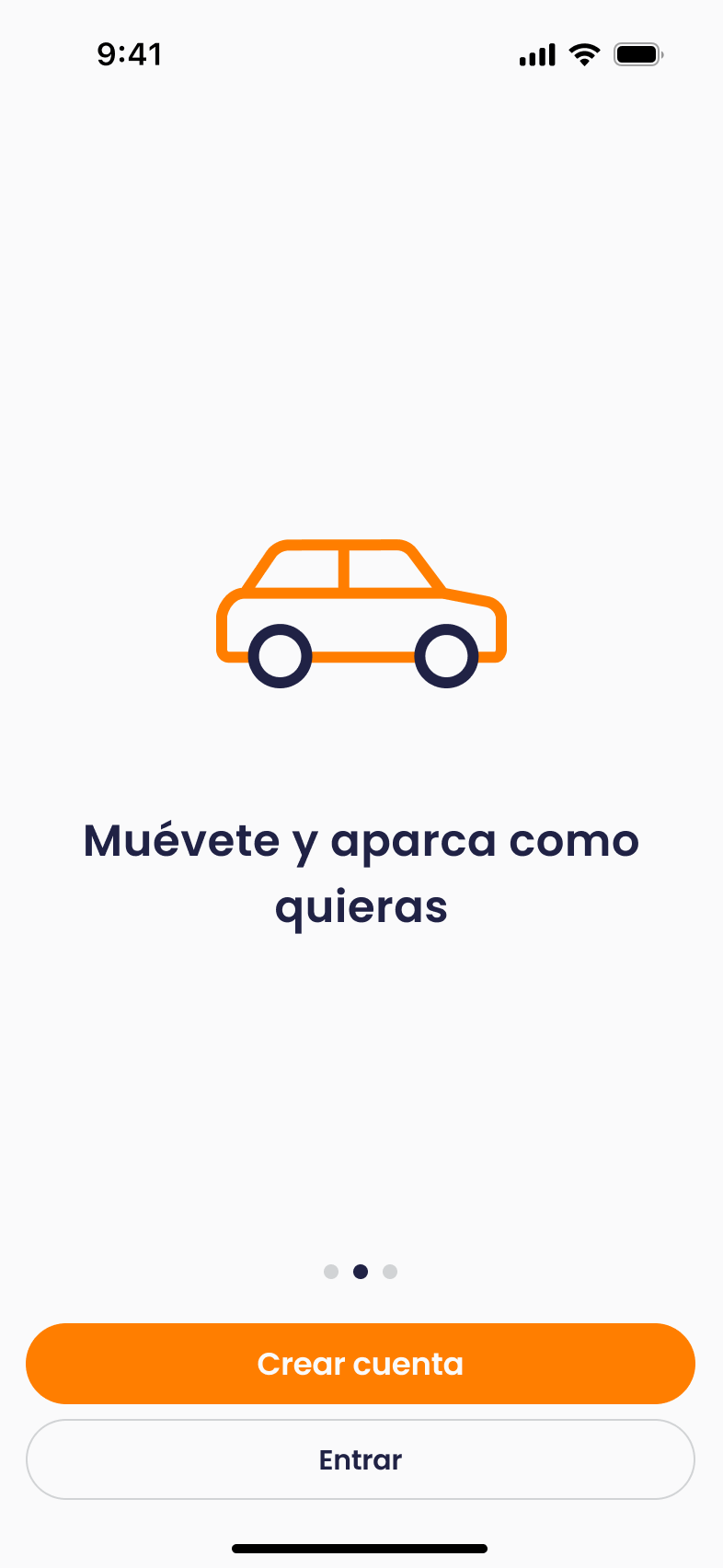
Step 3
The next screen is the registration itself. You’ll need to choose the country where you’re using Telpark, your email, and a password.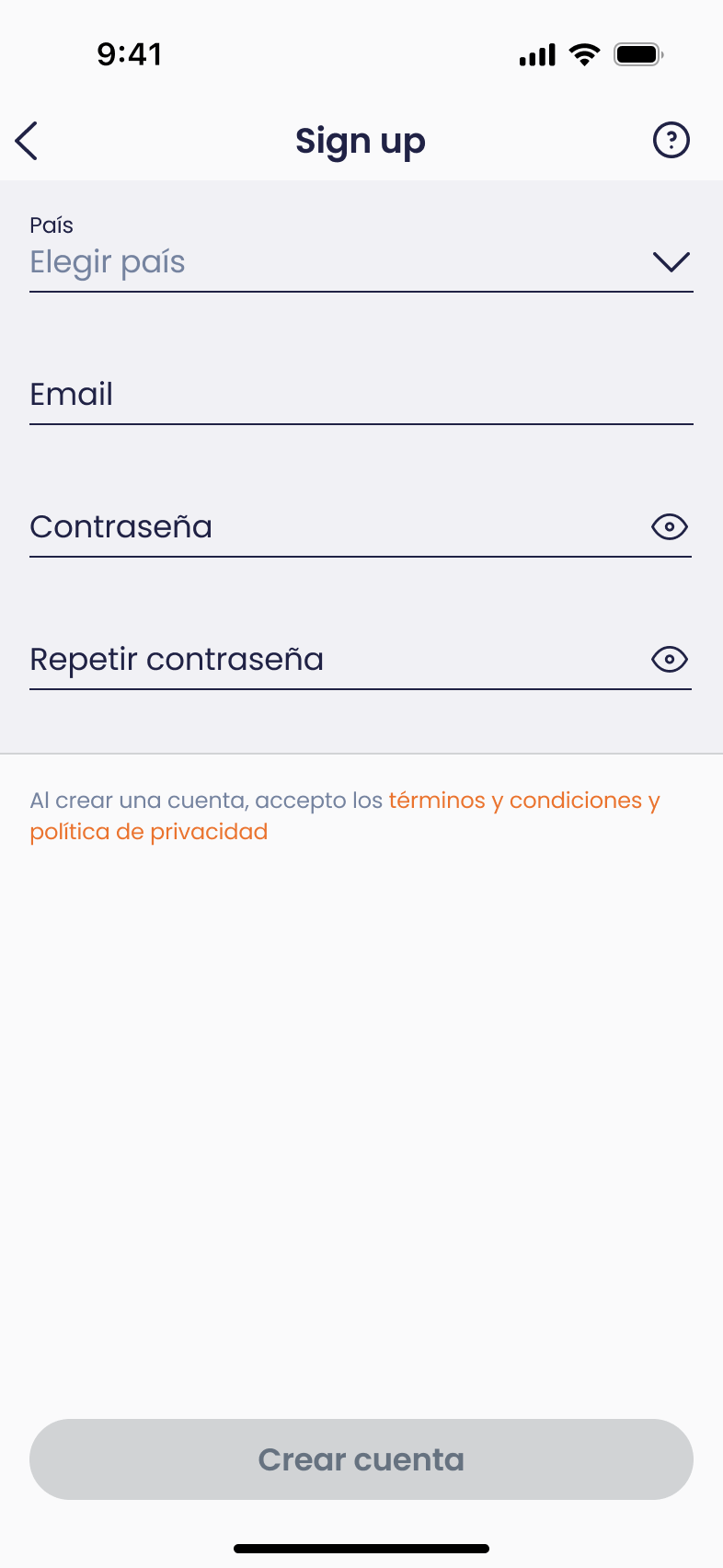
Step 4
When you tap the “Create account” button, a screen will appear saying that a verification email has been sent. Open your email and click the “Activate account” button. That will take you to a website, which will then redirect you to the app, where you'll see a success message and a button that says “Log in”.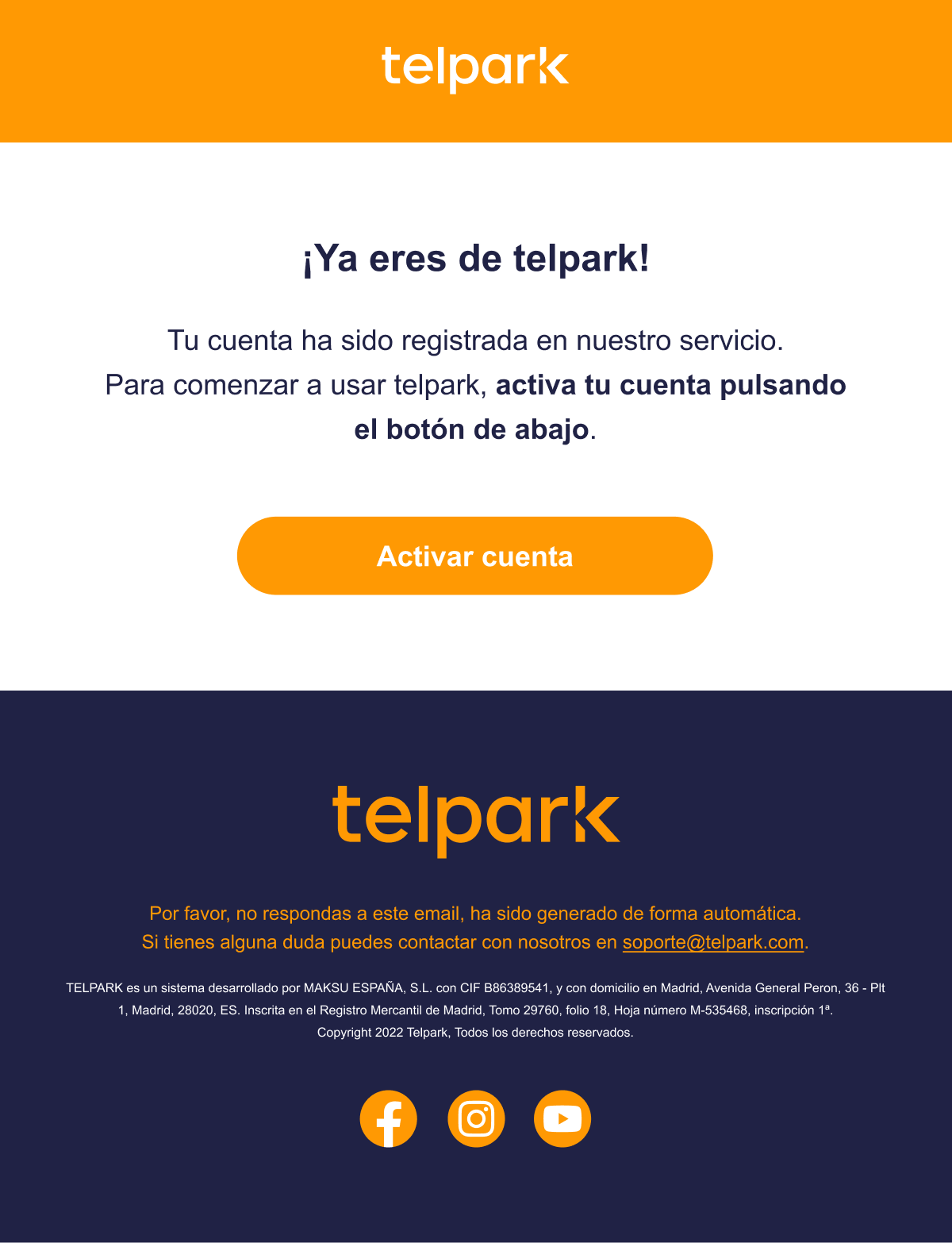
Step 5
Tap the “Log in” button and enter your email and the password you set in step 3.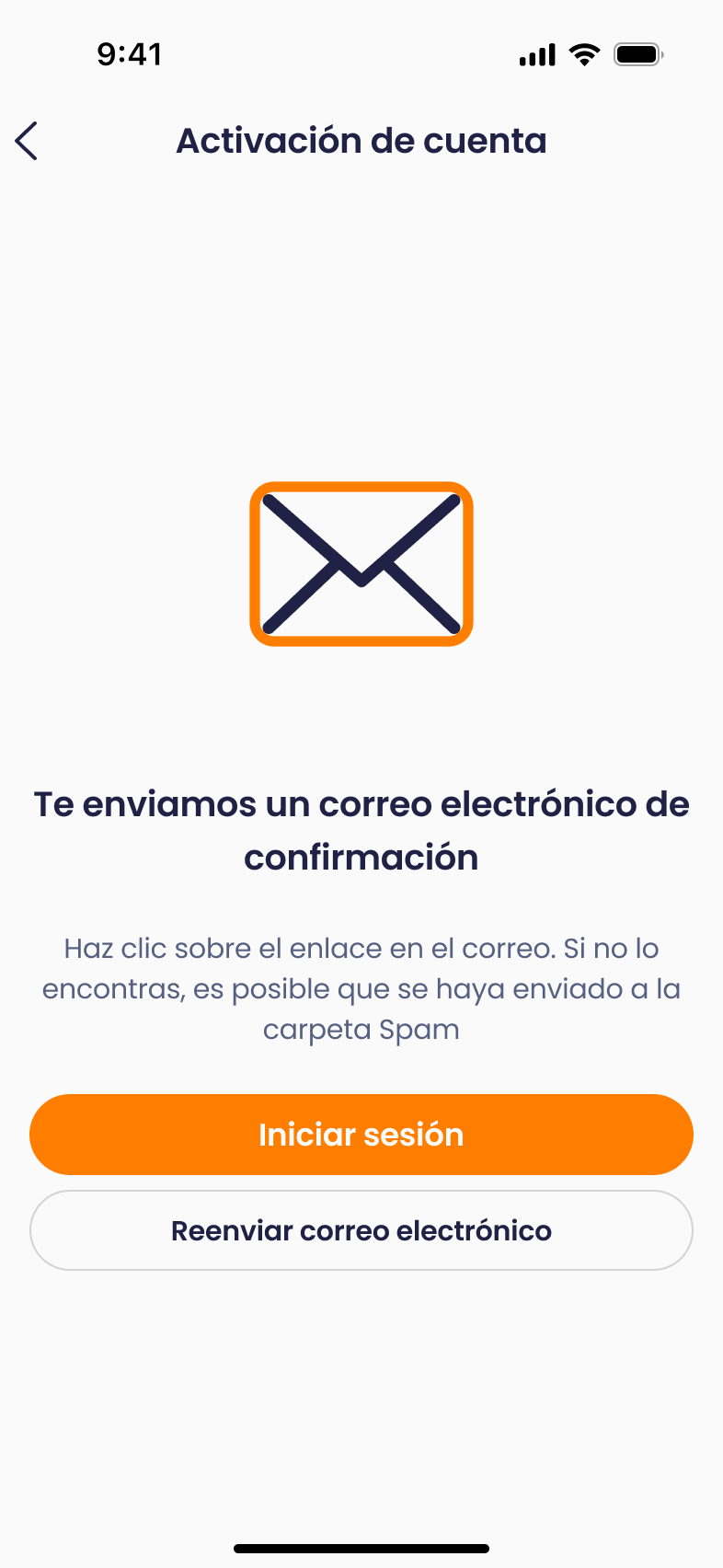
Step 6
The next step is to accept the terms and privacy policy. You’ll need to check the box to accept the general terms in order to continue, like shown in the screenshot.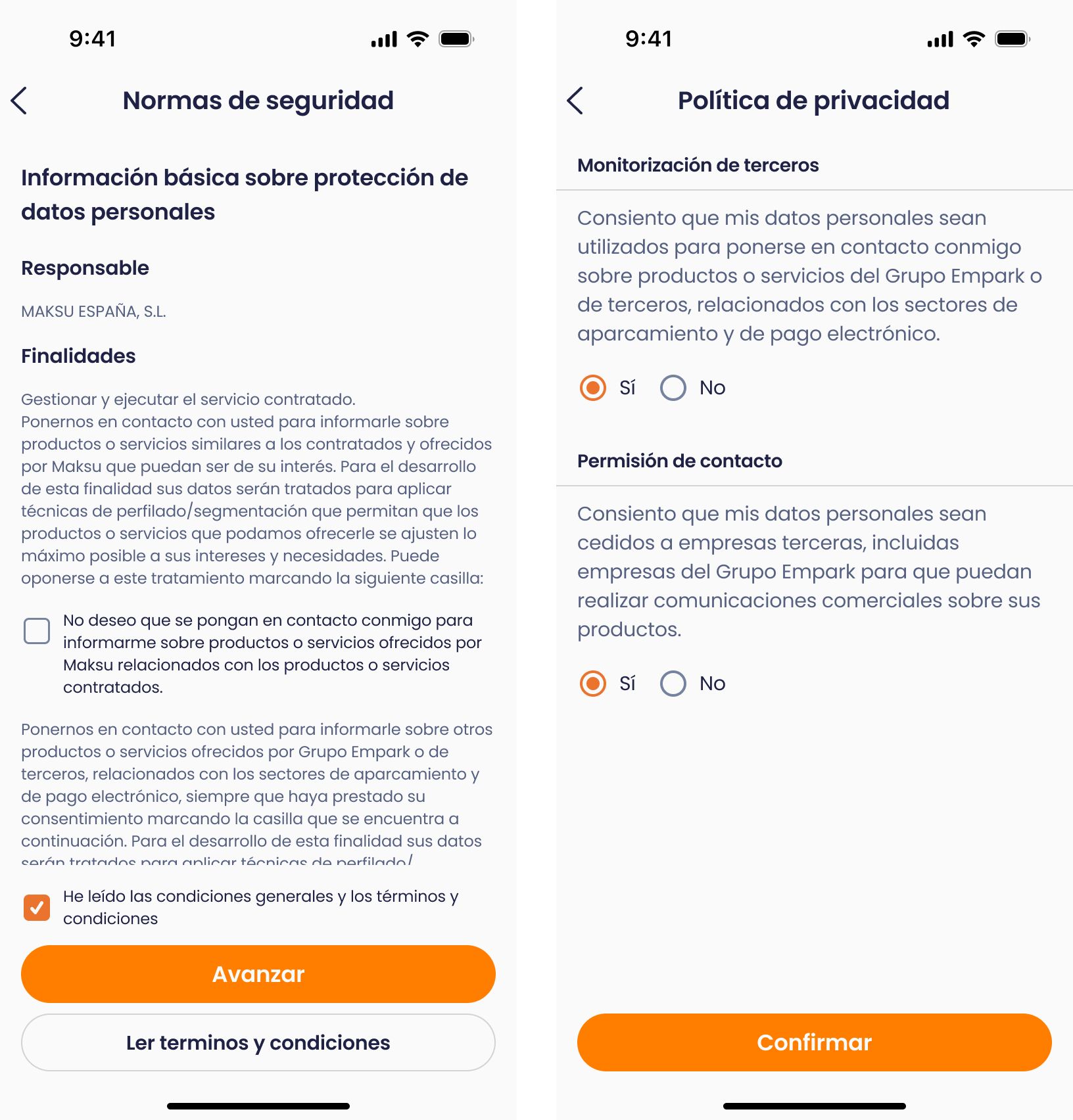
Step 7
Your account is now created! We’ve got 3 more steps to go and we’re almost done. The next step is to add your name.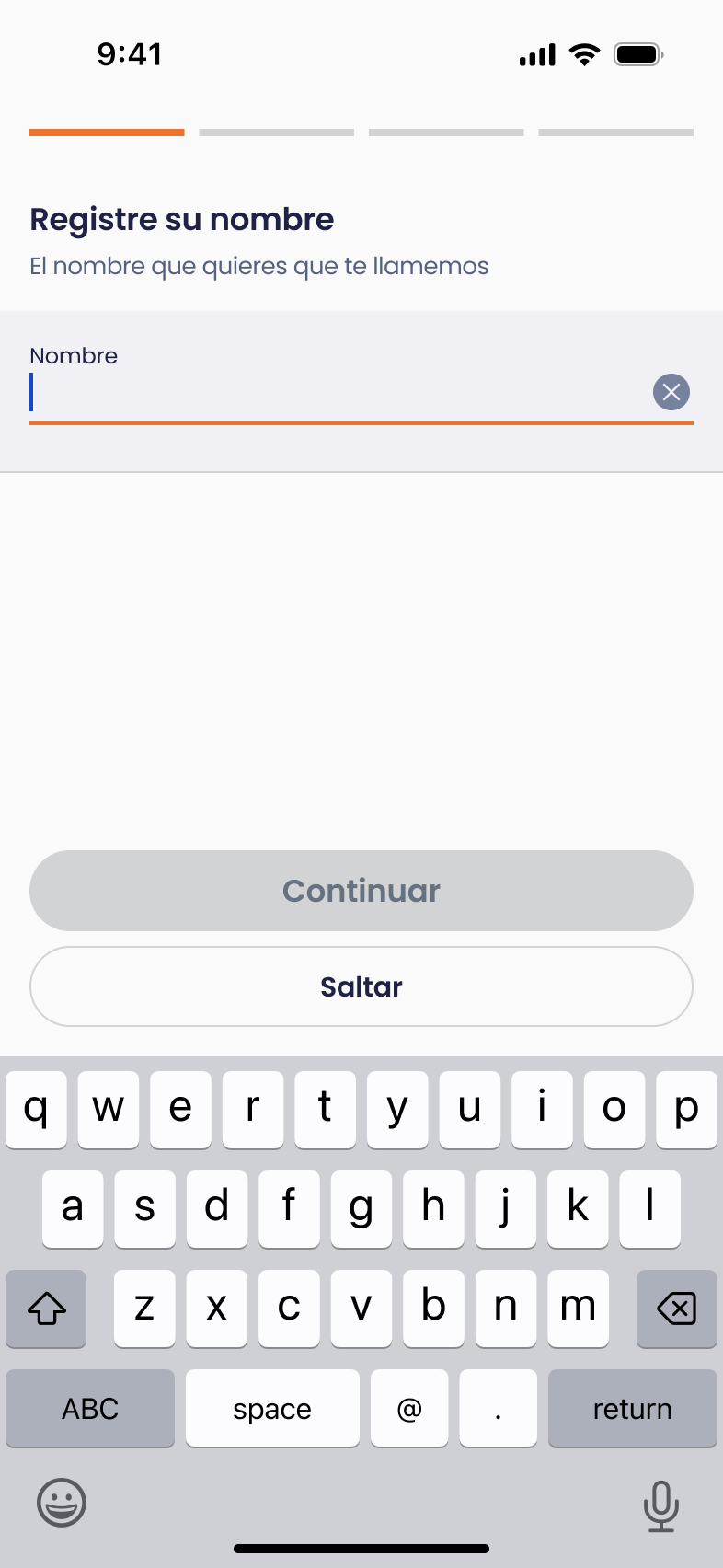
Step 8
Next, enter your country and your vehicle’s license plate. You can optionally give it a name to tell it apart more easily in case you plan to add more vehicles.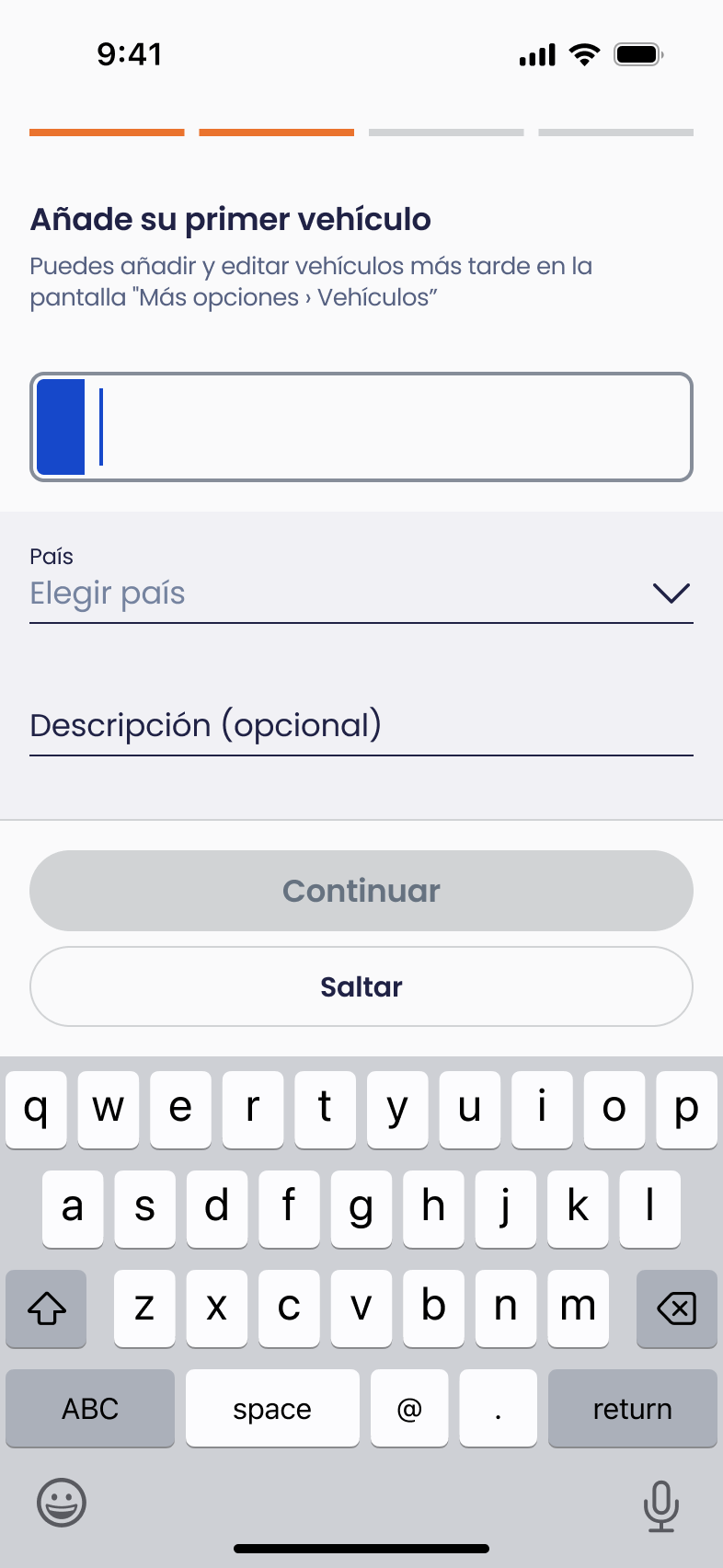
Step 9
Add a payment method. We recommend using a Mastercard or Visa debit or credit card.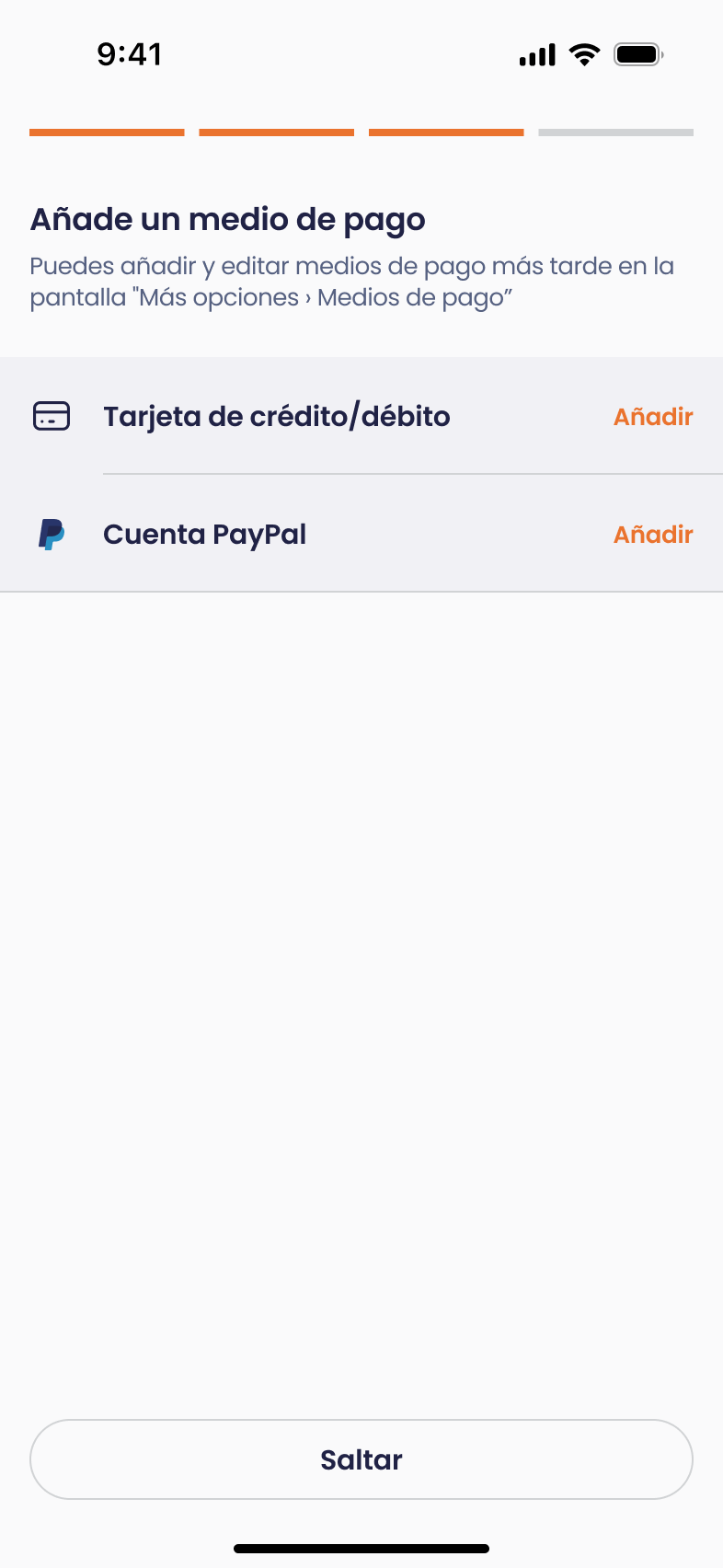
Step 10
You’ll then be asked if you want to activate Express Entry for the vehicle you just added. Choose “Activate Express Entry”, and that’s it! You can now enjoy all the benefits of being a Telpark user. Wait 5 minutes and exit the car park directly. We’ll charge the card you’ve added.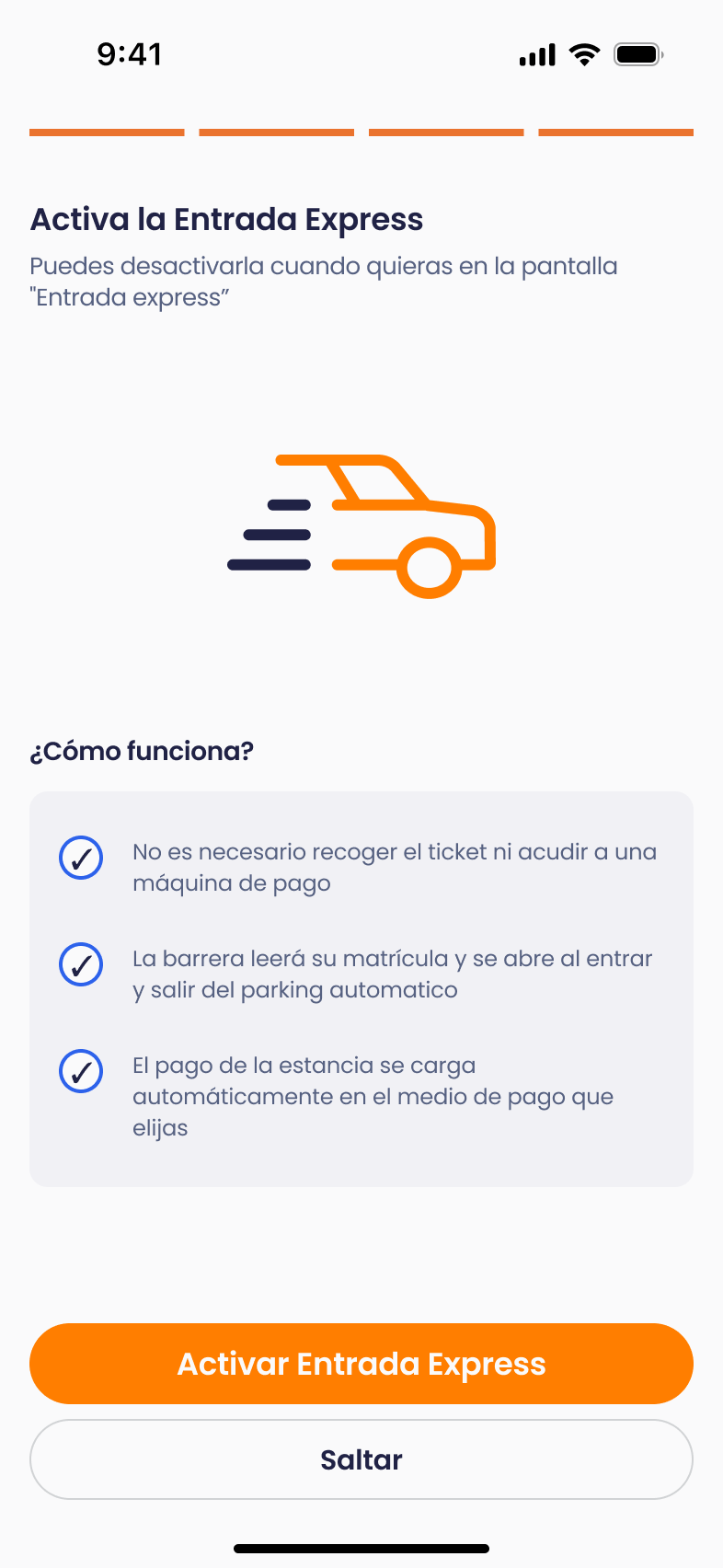
Still have questions? Don’t worry. Get in touch with us — we’ll be happy to help.
Telpark, your leading mobility app. Almost 3 million users already use it every day to pay the parking meter, charge their electric vehicle, reserve a parking space in advance and enjoy a contactless experience with our Entrada Express service. All managed from your mobile, whenever you need it, 365 days a year and in more than 100 cities in Spain and Portugal. You drive, we accompany you.
You can manage and make payments for several vehicle registrations at the same time without interrupting your work meeting, without leaving the cinema, etc... without interrupting your activity, and you don't have to pay for the service in advance.
Download it and start saving time and money:
The app is free and allows you to extend your parking time, pay and cancel complaints from your mobile. Below, you can find the main features of the app
General operation
Easy, convenient and safe. These are the three main features of telpark. To find out how telpark works to pay your on-street parking meter, watch this video and get to know some of our main features.
How it works in car parks
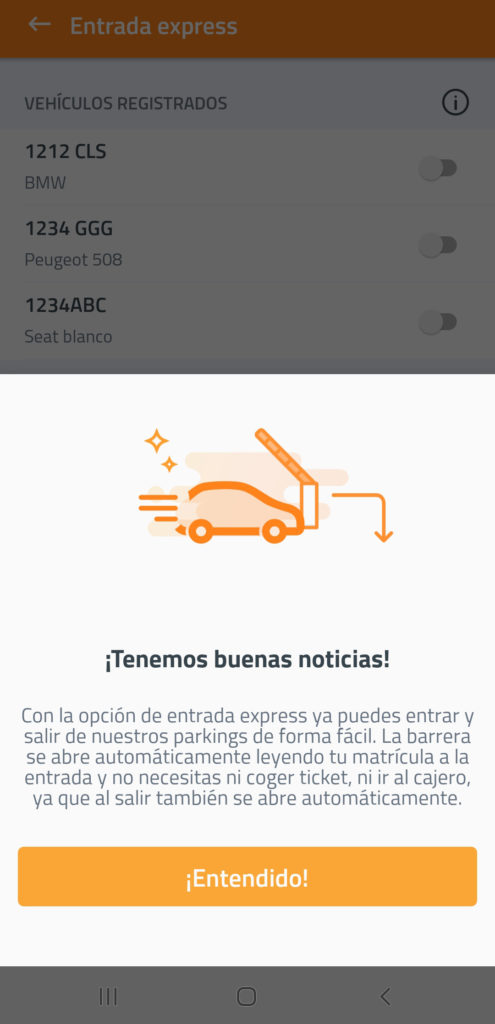
As well as allowing you to activate your parking meter from your smartphone from anywhere, telpark also allows you to access and pay at Empark car parks. To do this, all you need to do is activate your number plate in the application within Entrada Express. With this option activated, you have all the advantages. It is not necessary to take a ticket at the entrance to the car park, as the barrier will open automatically reading your number plate, and when you leave telpark will finalise the ticket online and charge your account.
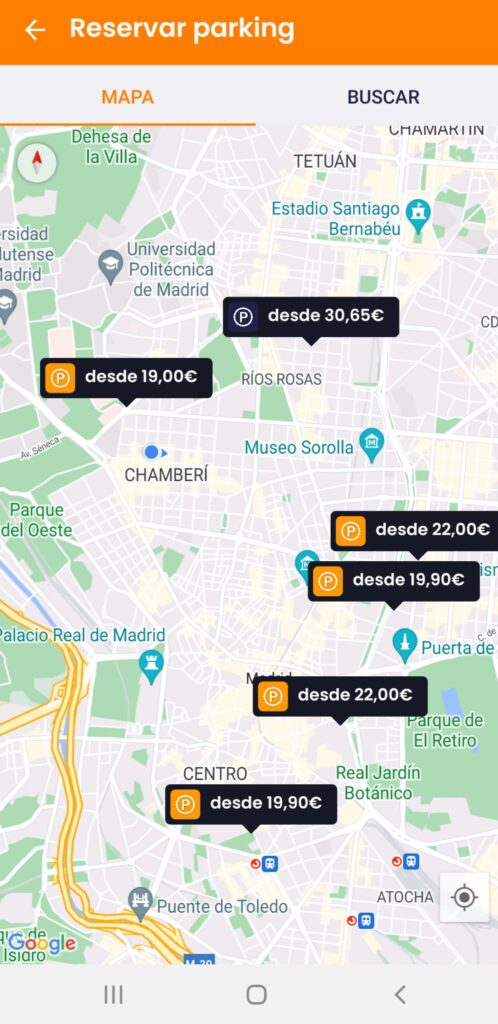
Now, you can reserve a parking space in our car parks. All you have to do is click on Book car park, select the car park and mark the days you wish to book. Click on Make book and you're ready to go.
More functionalities:
- You can edit and change your user details and bank details, as well as look up your payment and parking history.
- Edit and add as many vehicle number plates as you need.
- You can make payments at private Empark car parks as well as at Cercanías Renfe car parks in Madrid.
- With Telpark, you can settle offenses from within the application.
- Reserve a parking space at AENA airports.
- Charge your electric vehicle at more than 40 car parks in Spain and Portugal
Still have questions? Don't worry. Contact us, we'll be more than happy to help.

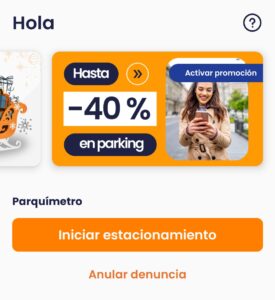
Telpark adapts to you and on the main screen you will have direct access to the active promotions available at the car parks and parking meters, activate the discount and start enjoying the Telpark experience!
Plus, in just one click, you have the options you use most at your fingertips to save you time. Telpark is the most complete app for getting around by car: reserve a space, charge your vehicle, pay the parking meter or buy parking passes with Multipass.
Parking meter
In this section, as well as initiating your parking, you can consult and pay your parking tickets in just one click.
Car parks
In this section, you can see how to book a parking space, activate Express Entry for the vehicle of your choice, buy Multipass passes, register your parking pass or start an electric vehicle recharge. It's quick and easy!
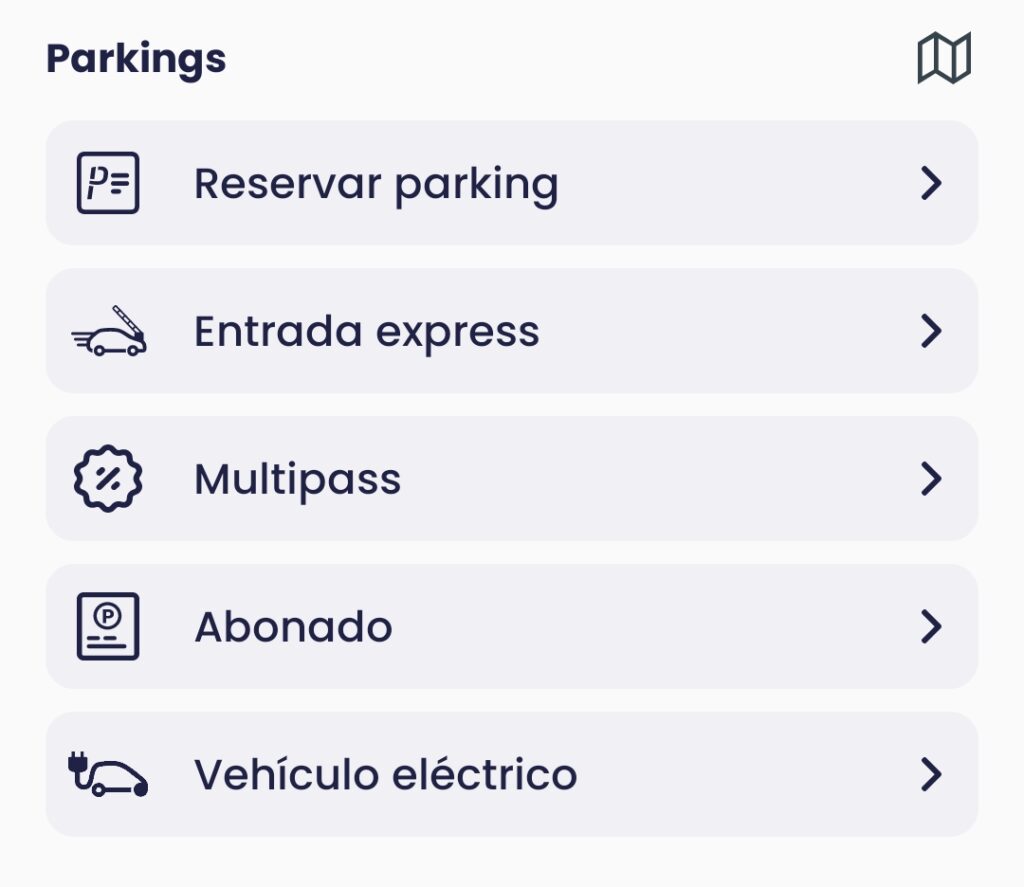
Book a car park
Click on bookings, select the car park, choose the length of stay and you have your reservation!
Express entry
Activate Express Entry for the vehicle of your choice. With this option activated, the barrier will open automatically by reading your number plate when you enter the car park, without the need to take a ticket or go through the cash machine.
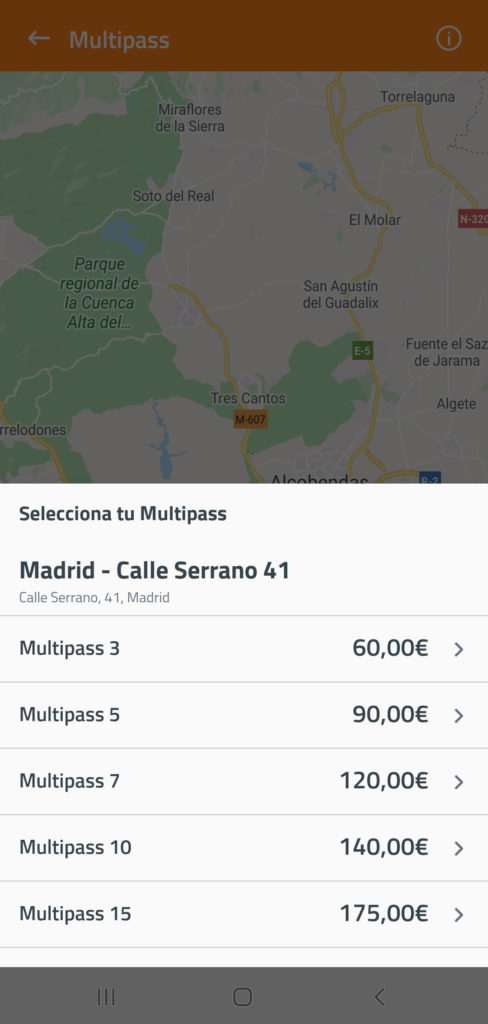
Multipass
Multipass are passes to park at the best price, the day you want in the car park of your choice, with a stay of up to 12 hours. Enjoy your pass at the best price!
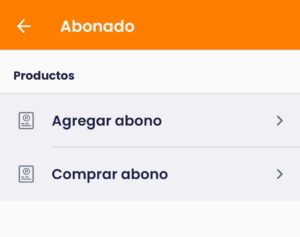
Subscribers
In this section, you can add your parking season ticket or buy a new one! (daytime, night-time, 24-hour, working hours...) whichever you prefer at Telpark car parks.
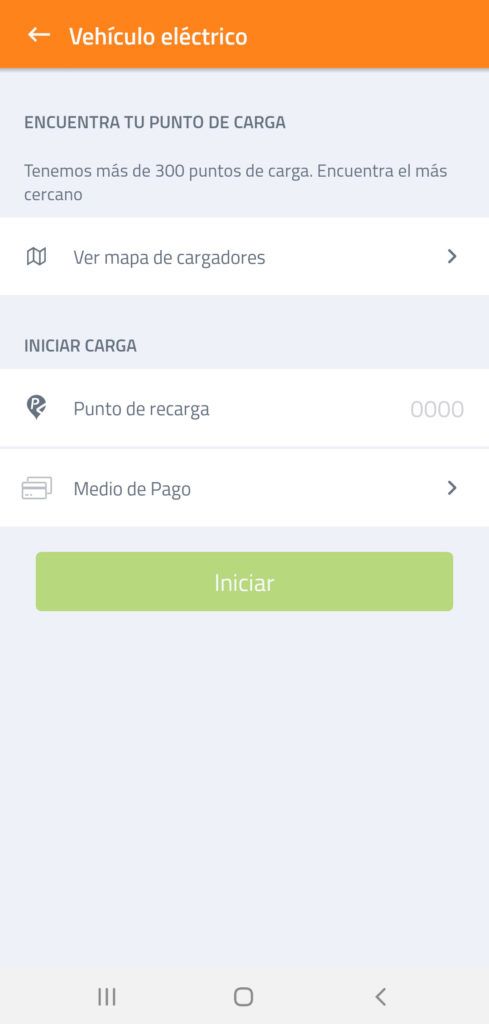
Electric vehicle
You can charge your electric vehicle in three easy steps. Select the charging point, choose your payment method and start charging. You can also find the nearest charging point on the map of chargers: we have more than 300 charging points in Spain!
Help Centre:
Do you have any questions or issues with the app? By clicking on Help, you will find all the frequently asked questions/doubts about the application.

More options:
In this section, you will find all the settings related to your account (payment methods, vehicles, ticket history...).

That's how easy it is to use our app!
Still have questions? Don't worry. Contact us, we'll be happy to help you.