
Posible problems
Don't worry, contact us at soporte@telpark.com or via the available chat, and tell us in detail what your problem is. We will help you as quickly as possible.
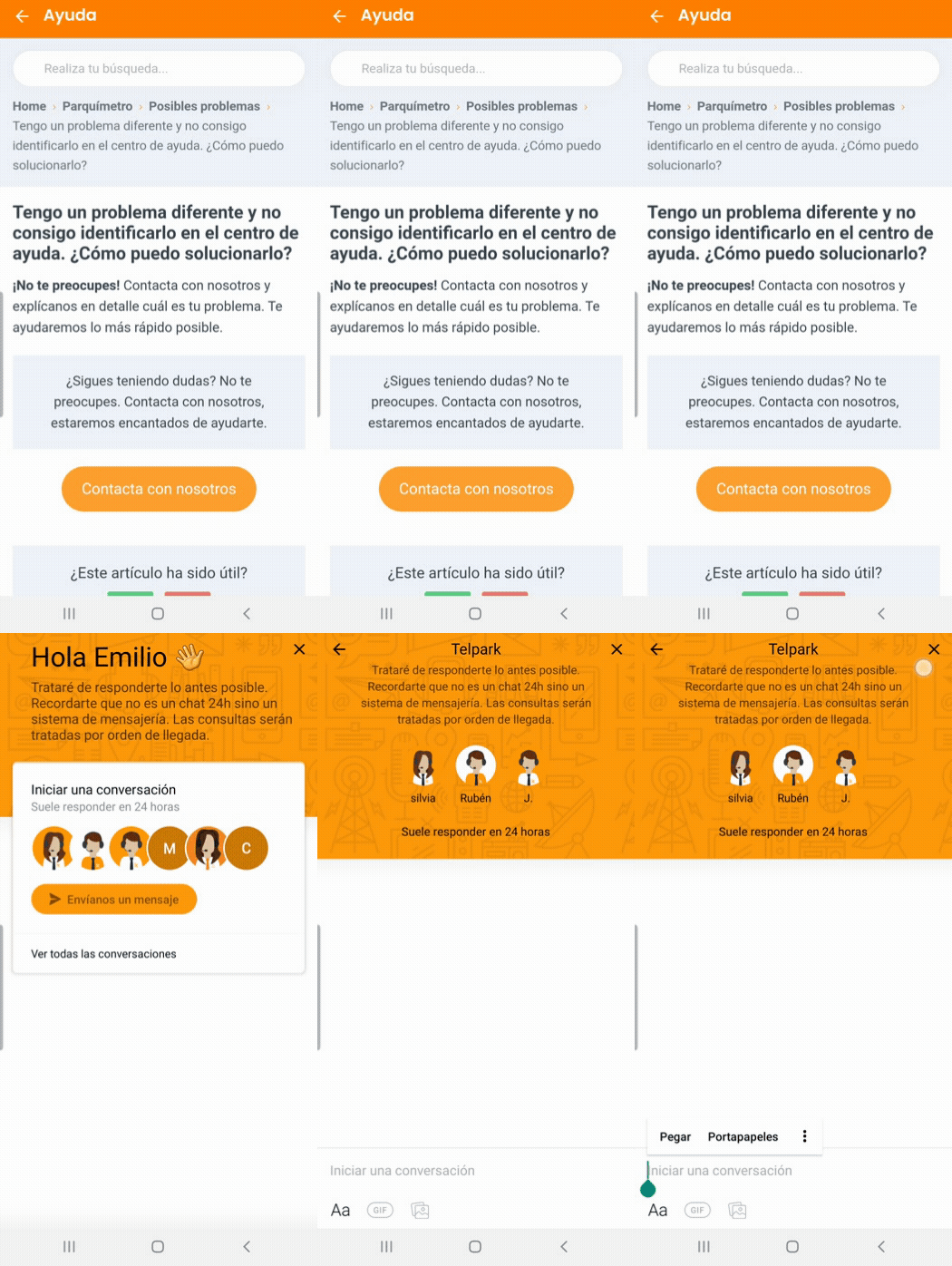
Still have questions? Don't worry. Contact us, we'll be more than happy to help.
Don’t worry! Contact us and tell us which type of notification is creating an error (email, push or local alarm) so our technicians can identify the problem.
Still have questions? Don't worry. Contact us, we'll be more than happy to help.
Don’t worry! Contact us and give us the car number plate you parked, along with a picture of the physical ticket from the parking meter, and we will check your case and find a solution.
Still have questions? Don't worry. Contact us, we'll be more than happy to help.
Don’t worry! Contact us and give us the number plate you have registered as a resident so that our technicians can identify the problem.
Still have questions? Don't worry. Contact us, we'll be more than happy to help.
If a session remains open when it should be closed, we recommend that you do the following:
- Close the Telpark App
- Clear the application cache
- Re-open the App and check the status of your session.
If it is still open... Don't worry! Contact us at soporte@telpark.com and tell us the number plate you parked with, so that our technicians can find out what is happening.
Still have questions? Don't worry. Contact us, we'll be more than happy to help.
Don’t worry! Contact us and tell us the registration number of the car you parked so that our technicians can find out what has happened.
Still have questions? Don't worry. Contact us, we'll be more than happy to help.
To interrupt a parking, here is how to do it.
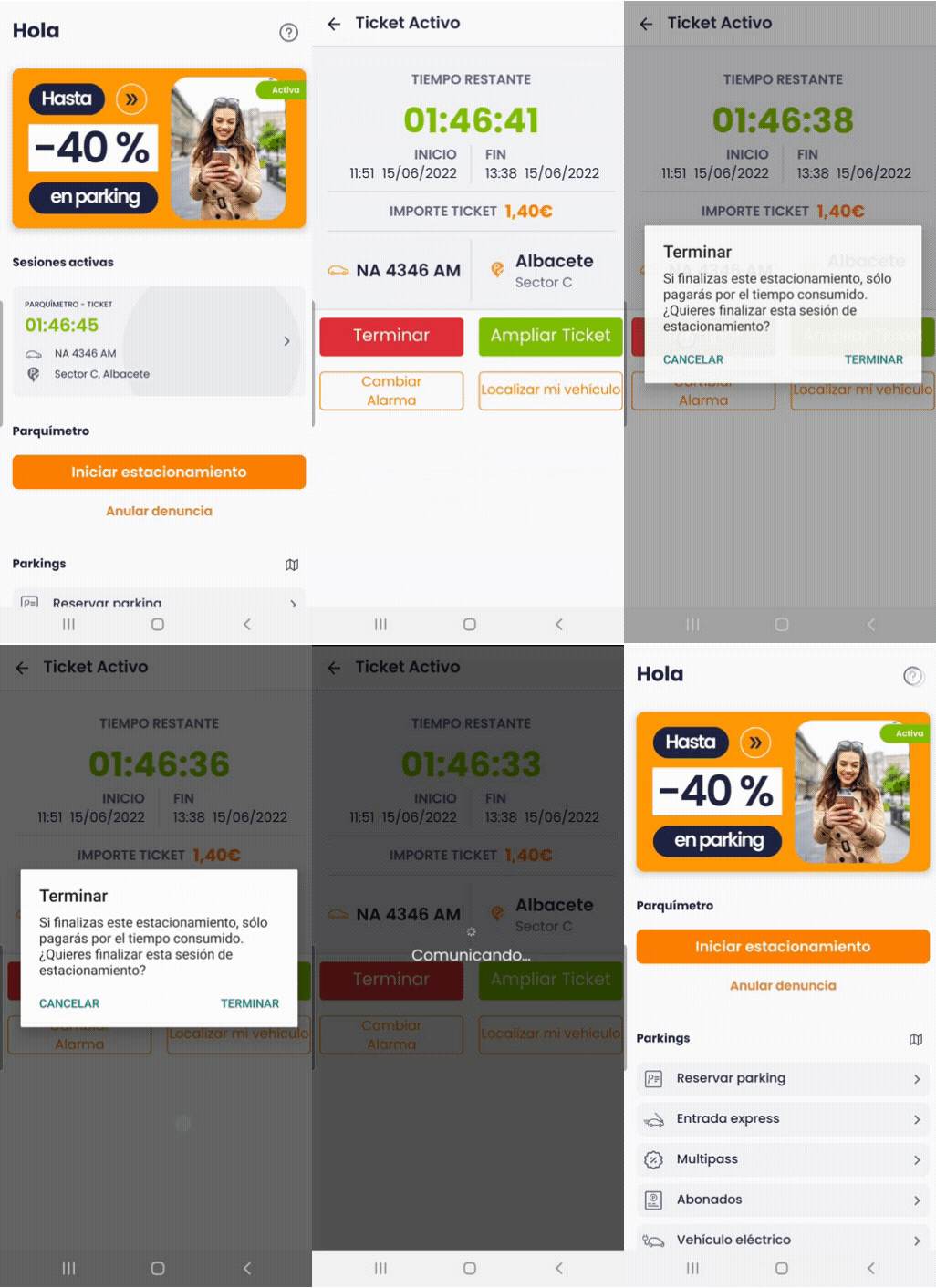
If you can't complete the above steps... Don't worry! Contact us at soporte@telpark.com and tell us the registration number of the vehicle you parked with so that our technicians can finish your parking and find out what is happening.
Still have questions? Don't worry. Contact us, we'll be more than happy to help.
To try to solve the problem, please follow the steps below:
- Close the telpark App.
- Check that you have an internet connection.
- Check that the GPS/Location option is active.
- After these recommendations, restart the telpark App and try to start a new parking space.
If the problem persists, go to a physical parking meter and obtain your ticket to confirm your parking.
Once you have obtained your ticket, you can contact us at soporte@telpark.com. Tell us the number plate with which you started the parking and the location so that our technicians can find out what has happened and find a solution.
Still have questions? Don't worry. Contact us, we'll be more than happy to help.
If we make a payment after your city’s parking service has ended, the parking meter will give us a valid ticket for the next day, with the time corresponding to the amount entered.
The app is programmed so that if we take a ticket outside the control time, you will be given a ticket where the parking time will start from the hour after the service starts, i.e. if you take it on a Sunday, the ticket time will start from 9:30am on Monday.
In these cases, there is no refund since the user must check the ticket details before confirming parking.
Still have questions? Don't worry. Contact us, we'll be more than happy to help.
Sorry, currently it is not possible to amend or cancel a confirmed payment.
We recommend that, before confirming the payment, you check the details shown on the summary screen of the ticket you are about to pay for (number plate, town, area, district, tariff, etc.) to prevent this type of error.
Do not hesitate to contact us at soporte@telpark.com. Present a photo of the ticket together with the vehicle registration number, and our agents will take the appropriate measures according to your needs.
You can view our terms and conditions of use of the service here
Still have questions? Don't worry. Contact us, we'll be more than happy to help.