How to charge your electric car in a public car park: a step-by-step guide for beginners
You’ve bought your first electric car. Or you’re visiting Spain with yours and need to charge up in the city. You arrive at the car park, spot the green charging post… and stand there not quite sure what to do. Don’t worry: pretty much everyone feels the same the first time round.
Charging an electriccar in a public car park is simpler than it looks, but it does have its quirks: different types of chargers, various ways to pay, rules worth knowing to avoid fines and, occasionally, small hiccups you need to know how to sort out. This guide walks you through the whole process, from parking up to unplugging and being on your way.
Before you get there: what you need to have ready
Public charging works a lot better if you turn up prepared. You don’t need everything from day one, but these items will save you time and more than a little frustration:
The charging cable: does the charger provide it, or do you bring your own?
It depends on the type of charger. On alternating current (AC) chargers — the most common in urban car parks and on-street bays — the cable usually isn’t included with the charger: you need to bring your own. Your car came with a Type 2 cable, which is the European standard for this kind of charging. Make sure you always keep it in the boot.
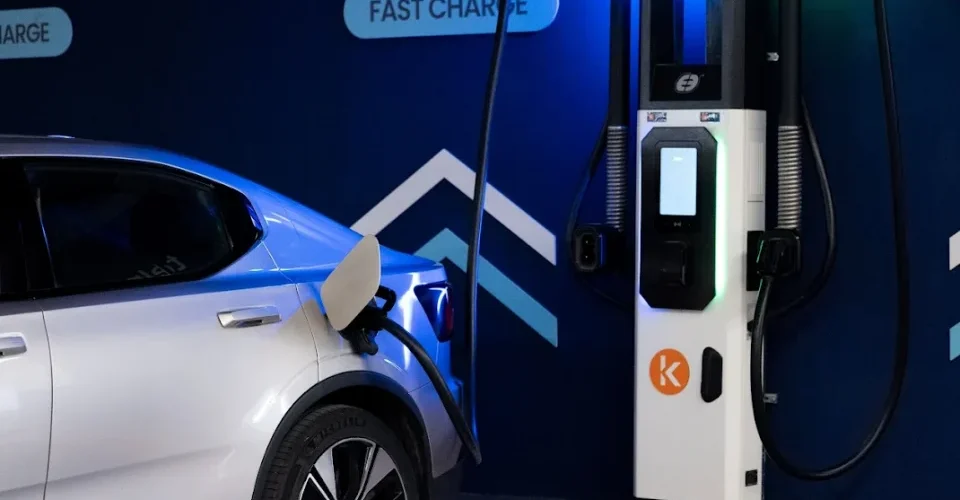
On rapid direct current (DC) chargers — the ones you’ll find on motorways and at some urban charging hubs — the cable is fixed to the charger. You just need to plug it into your vehicle’s port.
✅ Rule of thumb: charger with a cable hanging off the side = cable included (rapid DC charging). Charger with just a socket-type connector on the column = you need to bring your own Type 2 cable (AC charging).
A charging app: your essential tool
Most public chargers in Spain require an operator app to start charging. Although the European AFIR regulation requires chargers over 50 kW installed since April 2024 to accept contactless bank card payment without an app, the slower chargers found in urban car parks — which are the most common in cities — still work mainly via app or QR code.
The most common operators at public car parks and charging points in Spain are:
- Iberdrola SmartCharge: one of the most widespread networks. Free app, prior registration required.
- Endesa X / Endolla: strong presence in Barcelona and major cities. Its own app or web registration.
- Repsol Waylet: integrated with petrol stations and urban car parks.
- Zunder: an expanding network with high-power chargers. Its own app.
- Ionity: mainly on motorways. Its own app, also accepts card payment.
- Electromaps: an aggregator app that pulls together several networks and lets you activate chargers from different operators from a single app.
- Plugshare: a location and community app, very handy for finding and checking the status of nearby chargers.
💡 Tip for beginners: before your first long trip, install at least two operator apps plus Plugshare or Electromaps. Add your payment card in advance so you don’t have to do it at the car park. You’ll find these easily in the app stores on both Android and iOS.
What you should know about your own car
Every electric car has its own charging specifications. Knowing them in advance saves you nasty surprises:
- Maximum AC charging power: the speed at which your car accepts alternating current charging. Many popular cars have a limit of 7.4 kW or 11 kW on AC, even if the charger itself can offer more.
- Maximum DC charging power: the speed on rapid charging. This can range from 50 kW on more affordable cars up to 150–350 kW on premium models.
- Connector type: Type 2 for AC (all modern European cars) and CCS Combo 2 for rapid DC (the current European standard). Some older models use CHAdeMO. Check your vehicle’s manual or spec sheet.
- Current range and battery level: plan your charging stop for when you’re between 20% and 80% battery. Charging within that range is faster and helps prolong battery life.
How to start and finish charging: step by step
The process varies slightly depending on the operator and the type of charger, but the general flow is always the same. Here it is, broken down:
STEP 1 — Find the charging bay and park correctly
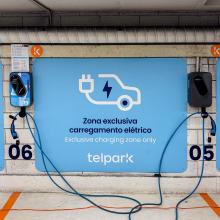
Electric charging bays in car parks are marked with the electric vehicle pictogram (a car with a cable) on the ground, usually in green or blue. Make sure the charging post is accessible from the side of your car where the charging port is — check your manual if you’re not sure.
Once parked, don’t let your cable spill over into neighbouring bays. Also check the charger isn’t out of order: most show a status light (green = available, red or amber = in use or faulty).
STEP 2 — Identify the operator and open their app
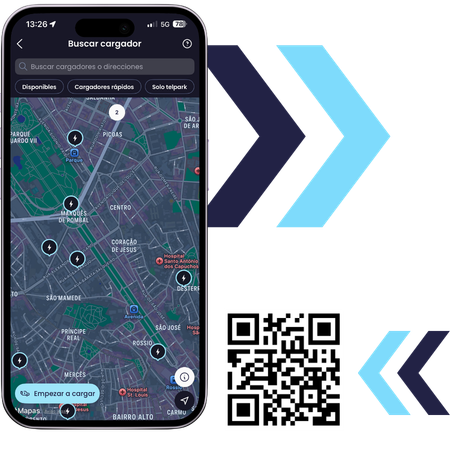
On the charging column you’ll find the operator’s logo and, usually, a QR code. If you already have the app installed and your payment method set up, open it and find the charger by its ID number (shown on the column) or scan the QR code directly from the app.
If you don’t have the operator’s app, scan the QR code with your phone’s camera: in many cases this will take you straight to a website where you can start charging and pay without downloading anything. On chargers over 50 kW installed since April 2024, you can also pay directly by bank card at the charger’s terminal.
STEP 3 — Connect the cable to your vehicle
Before connecting, make sure your car’s charging port is open (on most cars this is done via the central screen, the key fob or a button on the side of the vehicle). Push the connector in firmly until you hear or feel it click into place. If the charger has its own cable (rapid DC), take the charger’s connector and plug it into your car’s port.
On AC chargers where you bring your own cable, connect one end to the charger first and then to the car, or the other way round depending on the model. Check the instructions on the post if you’re unsure.
STEP 4 — Authorise and start the charging session
From the app or the charger’s payment terminal, select the relevant charging point and start the session. Confirm the payment start if prompted. On chargers with a card reader, tap your card or enter your PIN.
You’ll know charging has started properly when: the charger’s light turns green or blue, your car’s screen or dashboard shows it’s charging, and the app confirms the session has started along with the power it’s receiving.
STEP 5 — Wait and manage your time
Once charging has started, you can head off with peace of mind. Many apps will notify you when charging reaches the percentage you’ve set, or when it’s finished. Use the time to run errands, grab a bite, or take a break.
Respect the maximum time shown on the car park’s signage. If the bay has a time limit (common in urban car parks to keep spaces turning over), make sure you move your car before it expires. Going over the stated time can mean a fine of €90.
STEP 6 — Finish charging and disconnect properly
Once you’ve reached the battery level you want, or when time requires it, stop the session in the app before unplugging the cable. On most chargers, the correct sequence is: end session in the app → the charger releases the connector lock → remove the cable.
On electric cars, the connector usually stays locked while charging to prevent accidental disconnection. If you try to pull the cable out without having ended the session, it won’t come free. Never force the connector. Always end the session in the app first.
✅ Summary of the correct sequence: Park → Open charging port → Connect cable → Start session in app → Charging active → End session in app → Disconnect cable → Move the car if the bay has a time limit.
How to pay for electric charging
Paying for public charging in Spain is one of the things that most confuses first-time drivers, because there’s no single system. Depending on the charger and the operator, you’ll find different options.
Available payment methods
- Operator app with a linked credit/debit card: the most widespread method today. You register your card once in the app and each session is charged automatically. Works on chargers of any power.
- Direct bank card payment at the terminal: available on chargers over 50 kW installed since April 2024, as required by the European AFIR Regulation. No app, no prior registration: just tap or insert your card and authorise payment. Also accepts Apple Pay and Google Pay. Chargers of this power installed before April 2024 have until January 2027 to comply.
- QR code with web payment: many chargers under 50 kW offer a QR code that takes you to an online payment page. You don’t need the operator’s app installed, though you will need a bank card to pay.
- Operator RFID card: a physical card you tap on the charger to identify yourself and activate charging. Handy for regular users of the same network. You request it by registering on the operator’s website or app.
- Subscription or monthly plan: some operators offer subscription plans with included kWh or reduced rates for frequent users. Worth considering if you use the same network a lot.
💡 For first-time drivers: start with the operator app and a linked card. It’s the most universal method and works on virtually any charger, whatever the power. Once you have a better sense of which networks you use most, it’s worth weighing up whether a subscription pays off.
Indicative prices in 2026
The price of public charging varies by operator, charger power and location. These are the average ranges in Spain in 2026:
Charging type | Power | Price/kWh | Typical use |
Slow / Semi-fast | up to 22 kW | €0.30–0.45 | Urban car parks, shopping centres, hotels |
Fast | 50–150 kW | €0.45–0.60 | Charging hubs, motorway service areas |
Ultra-fast | > 150 kW | €0.60–0.80 | Motorway corridors, premium sites |
Some operators combine a per-kWh price with an occupancy fee (charged per minute), especially on fast chargers, to stop vehicles from hogging the bay once the battery’s already at 100%. The price per session and any occupancy fee must be clearly displayed before you start the session, as required under the AFIR Regulation.
💡Trick to pay less: at shopping centre, supermarket or restaurant car parks, it’s common to find free or discounted charging as a customer perk. Before paying at a street-side charging hub, check whether a nearby car park offers included or discounted charging instead.
Rules you need to follow: avoid unnecessary fines
Electric charging bays come with their own rules, and not following them has real financial consequences. Here are the most important ones:
- Don’t occupy the bay without charging: even if your car is electric, if you park in a charging bay without plugging it in, you’re committing a serious offence. The fine is €200, plus possible towing. This also applies to conventional hybrids with no plug (HEVs), and to petrol or diesel cars.
- Respect the maximum time shown: many urban car parks limit how long you can use a charging point to keep spaces turning over. The limit is shown on the vertical sign next to the charger. Going over it can mean a €90 fine. Set an alarm on your phone if you need to.
- Disconnect and free up the bay as soon as you’re done: once charging is complete, the right thing to do is unplug and move your car so other drivers can use the bay. Leaving your car plugged in for hours after charging has finished ties up a scarce resource, and in private car parks can lead to operator penalties.
- Don’t use charging bays to park without charging: even if you have no intention of charging right then, don’t park in a charging bay “because it was free”. These bays are reserved exclusively for vehicles actively charging.
⚠️ These fines only apply in bays with official traffic signage (sign S-17 or R-307/R-308). In private car parks without this signage — some shopping centres, for example — infringements are handled internally by the car park operator rather than as traffic fines, though they can still lead to financial penalties.
What to do if something goes wrong: troubleshooting
Spain’s public charging network is still very much developing, and technical issues do happen. Knowing how to react keeps you calm and, in most cases, sorts the situation out within minutes.
Common problems and how to fix them
- The charger isn’t responding, or the app can’t detect it: first check the charger isn’t faulty (a solid red light or an error message on the screen). If it’s available, close and reopen the app. If it persists, try scanning the charger’s QR code instead of searching by number. If the problem continues, the charger may be out of service: call the support number shown on the side of the column.
- The cable won’t click in or lock: make sure your car’s port is fully open. On some models, the port won’t open if the car is in gear or in driving mode. Put the car in Park or switch it off before trying again.
- Charging has started but the car isn’t receiving power: check your car’s screen to see if the charging icon is active. If it isn’t, end the session in the app, disconnect the cable and try again. On some chargers, there’s a 1–2 minute delay before the power flow kicks in.
- The app won’t let you start the session: this could be a mobile signal issue at the car park (common in basements). Head up to street level to complete the sign-in and then go back to your car: on many chargers, once the session has started with signal, charging continues even if you lose connection.
- The connector is locked and won’t disconnect: make sure you’ve ended the session in the app before trying to unplug. If the app says the session has ended but the connector is still locked, wait 30 seconds and try again. If it persists, call the operator’s support line.
How to get help
All public chargers in Spain must have a user support phone number visible on the column, as required by law. This is your first point of contact for any issue. In addition:
- Support phone number on the charger: look on the side of the column. This is usually the operator’s customer service number, generally available 24 hours a day.
- Support in the operator’s app: most apps include a “Help” or “Support” section where you can report issues, chat with an agent or request a refund for a failed session.
- Plugshare community: if you spot a faulty charger, you can report it on Plugshare to warn other drivers. You can also check other users’ recent comments to see whether the charger was working well recently.
- Formal complaint to the operator: if you’ve paid for a session that didn’t complete correctly, you’re entitled to request a refund. Always keep the receipt or session history from the app as proof.
✅ Tip for visitors to Spain: if you have any language difficulties, most of the major operators (Iberdrola, Endesa, Ionity, Zunder) offer English-language support by phone or chat. Ionity, being a pan-European network, offers support in several languages as standard.
If you’re looking for a charging point in the city with guaranteed parking, no hunting around, and all the official signage in order, Telpark car parks with electric charging are your best bet. You can park and charge at the same time while you run errands, work or grab a bite nearby, without worrying about moving the car the moment charging finishes, as long as the bay has no time limit.
- Official signage and clearly marked bays: painted in an identifying colour with the electric vehicle pictogram on the ground and vertical signage in line with DGT regulations. No confusion, no surprises.
- Charging available while you park: make the most of your normal parking time to charge without going out of your way or hunting for additional charging hubs.
- Support on hand: if you have any questions or issues while charging at a Telpark car park, our customer support team is there to help.
- Network across Spain’s major cities: available in Madrid, Barcelona, Valencia, Seville, Málaga, Bilbao and other cities, with the network and number of charging points continuing to grow.